Waiting to Get Your Dissertation Accepted?

 one-on-one support



There are straightforward guidelines for inserting page numbers according to APA 7th edition guidelines. To start with, here are the basics:
- The numbers should be put in a header at the top right of the page.
- They should be the same font and size as the rest of your paper.
- Number the first page, with a 1. Thereafter, each of the subsequent pages will be numbered automatically.
- Do not write “page” or “p.” or “pp.”
Here are step-by-step instructions for inserting APA page numbers, with screenshots to guide your way.
Inserting Numeral Page Numbers
Step 1: Open the “Header & Footer” tab in the header, click on Insert and select “Page Number.”

Step 2: If you want to have a different first page and do not want number 1 to appear on this page, then click on “Different First Page.”

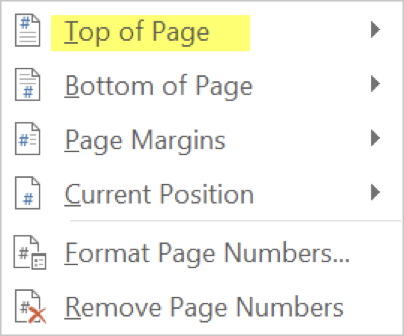
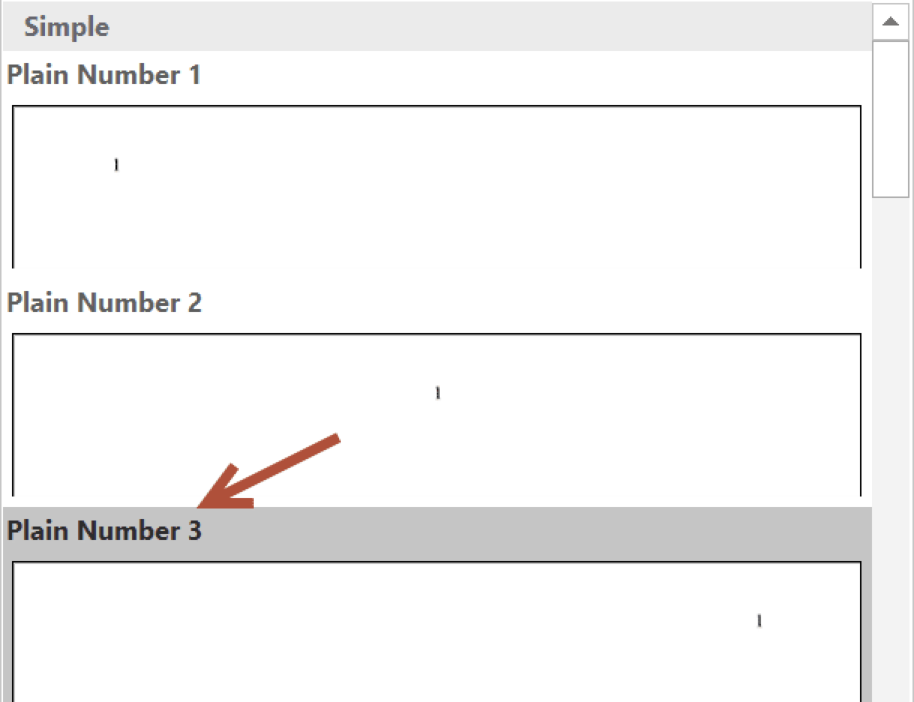
Step 3: From the drop-down list, choose “Top of Page.” Next, choose “Plain Number 3.”
Step 4: Click on “Close Header and Footer” in the ribbon.
Over 50% of doctoral candidates don’t finish their dissertations.

Inserting Roman Numeral Page Numbers
If you need to paginate front matter material, such as an abstract, acknowledgments, or table of contents, the process is a little different.
Step 1: Insert a section break between the front material and Chapter 1.
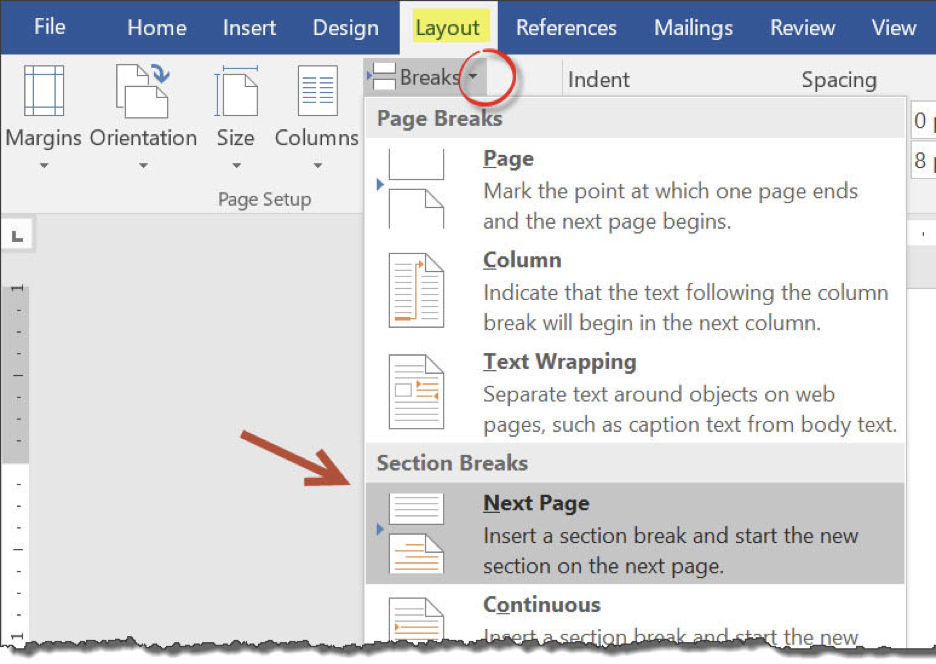
Step 2: In the “Layout” tab, click on the drop-down arrow beside “Breaks.”
Step 3: Click on “Next Page” in “Section Breaks.”
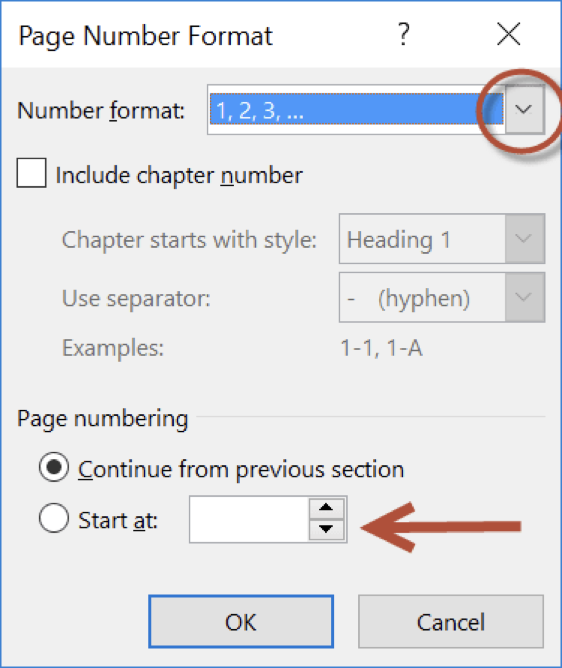
Step 4: Repeats steps 1 or 2 above. In the drop-down list, open “Format Page Numbers.”
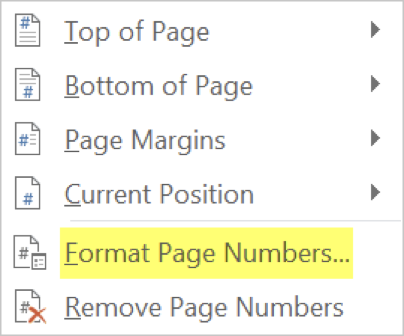
Step 5: Select “Roman” in the “Page Number Format” part of the drop-down list.
Step 6: On the first page of Chapter 1, repeat the above process. This is when you begin to start numbering the pages of your Chapter 1 using numerals 1, 2, 3, etc. To paginate Chapter 1 as page 1, choose “Start at,” and then put in the number 1.
Note: For more information, refer to Section 2.18 of the APA Publication Manual, Seventh Edition.
For help with APA style and much more, check out our Dissertation Editing Services or book a free consultation.